A scheduling link that checks everyone’s real availability.
OpenCalendar is one calendar for your calendar files and feeds, with scheduling links for one host or a whole group. Guests pick a time that is free for everyone, shown in their time zone and yours, and no booking company ever holds your calendar.
Free. No account needed, no seats to pay for. Google and Outlook connections are built and waiting for each company’s approval.
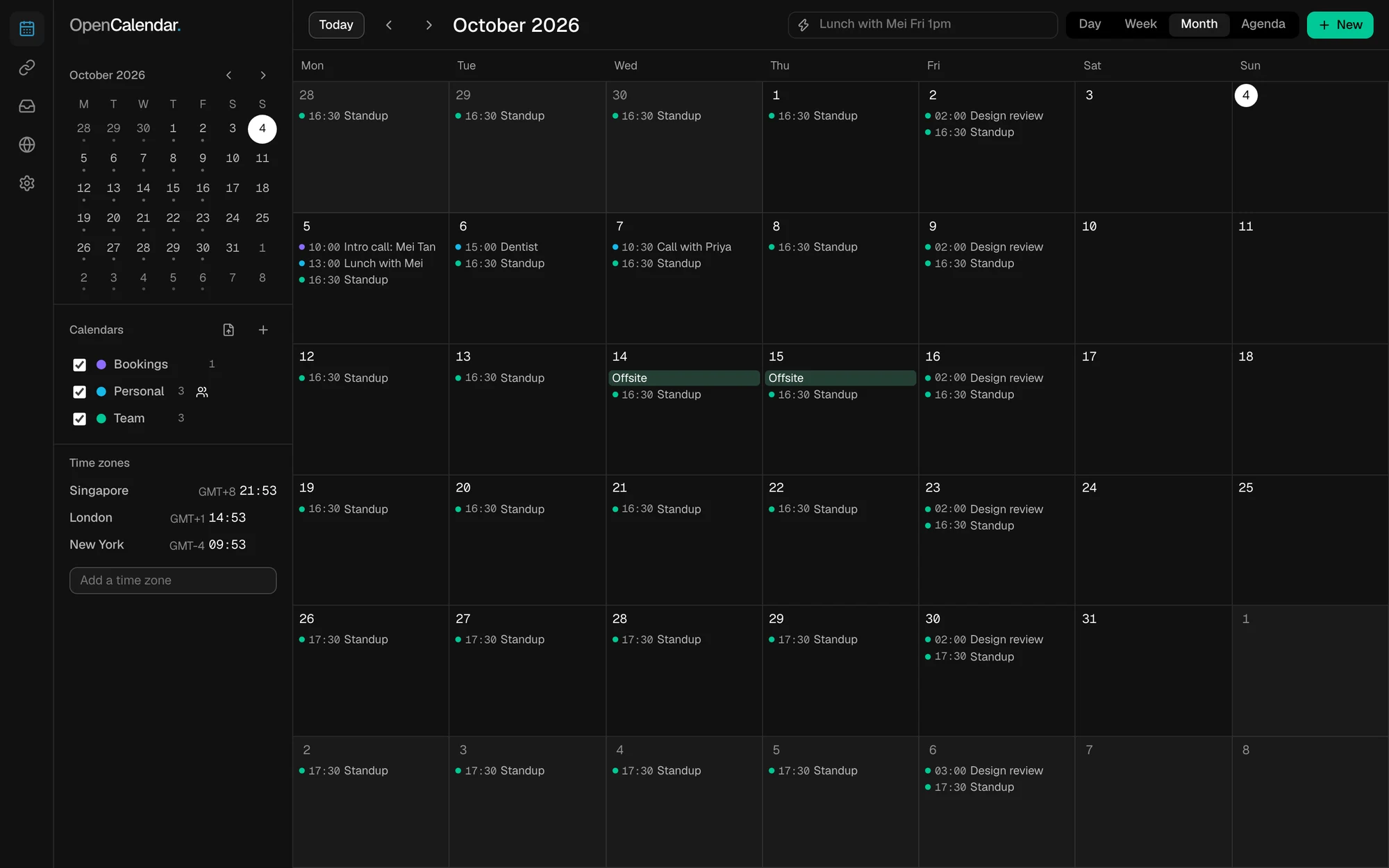
Scheduling links, group availability and time zones, done properly.
A link for one person is easy to find elsewhere. Finding an hour across several people’s real calendars, at different companies and in different time zones, is the part OpenCalendar is built for.
One link, for one host or for a whole group.
The guest sees only times that are really free. Set the lengths you offer, your weekly hours, the notice you need, gaps between meetings and a cap per day, and add your own questions.
- Group links. Add co-hosts by their public key. Each publishes only their own busy times, from whatever calendar they use; the link offers the times when everyone is free, or any one of you in turn.
- No double booking. A slot taken through the link cannot be taken again, even while every device of yours is switched off.
- You decide what counts as confirmed: automatically, on request, or automatically only while your calendar was read recently.

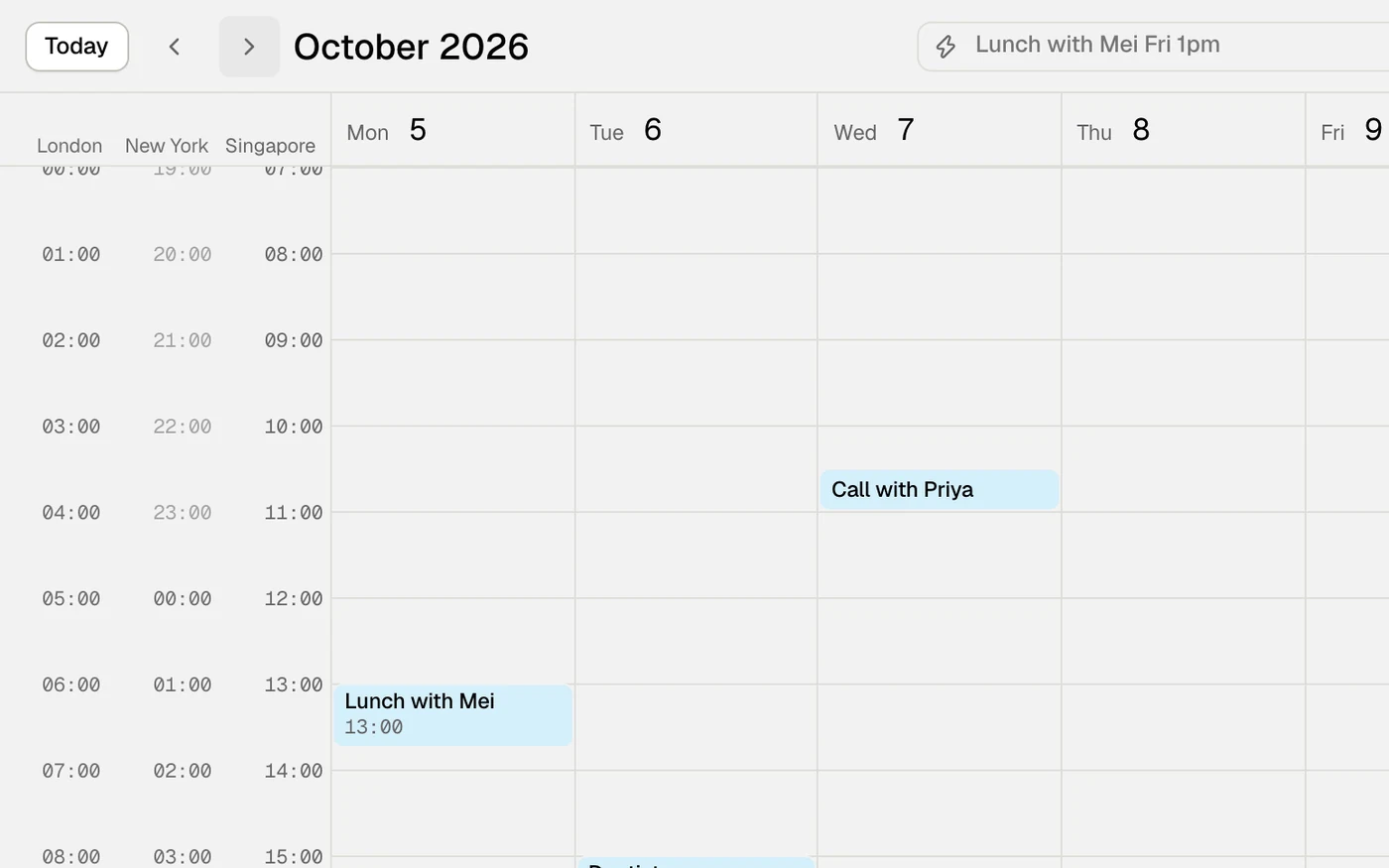
Every time in both people’s time zones, daylight saving included.
Nobody does the sum in their head. A guest sees each slot in their own zone with yours underneath. In your calendar, put any number of zones beside the grid, keep world clocks in the sidebar, and see which days a zone changes its clocks.
- The planner lays the day out hour by hour in each zone and marks the hours that are working hours for everyone — or says plainly that there are none.

Share a calendar with people, whatever calendar they use.
Each person gets exactly the access you choose: sees only when you are busy, sees events, or changes events. Add people by their public key; they need no account with any provider.
Events are sealed on your device before they leave it. Removing someone changes the keys, so they cannot read what is written afterwards.

Or propose a few times and let people vote.
For when you would rather not offer your whole calendar. Pick a few times and send one link. People answer yes, maybe or no in their own time zone, and nobody can change another person’s answer. You pick the time and the meeting lands on your calendar.

Day, week, month, agenda
Make, change and delete events, including repeating ones, or type one in: “Lunch with Mei Fri 1pm”.
Calendar files
Open .ics, .vcs and .ifb files by picker or drag and drop, export any calendar, and answer an invitation with a reply file.
Followed calendars
Follow any webcal: or https: calendar address. It is refreshed at most once an hour.
Google and Outlook
Sign in, see those calendars here, and have a confirmed booking written to your calendar with a Meet or Teams link.
Built · awaiting approval
iCloud and CalDAV
Calendars on iCloud and other CalDAV servers, beside the rest.
Built · not available yet
Meeting links
Paste your standing Zoom, Google Meet, Teams or Tencent Meeting room link once and every booking carries it.
Attachments
Drag a file onto an event, up to 25 MB each. It stays in your browser and travels inside an exported .ics file.
Agents
A command-line tool that is also an MCP server: read a link, find times, book, move and cancel.
Eight languages
English, 简体中文, 繁體中文, 日本語, 한국어, Deutsch, Español and Português.
From your calendar to a booked meeting in four steps.
You set a link up once. After that a guest needs nothing but the link: no account, no app, no email back and forth.
-
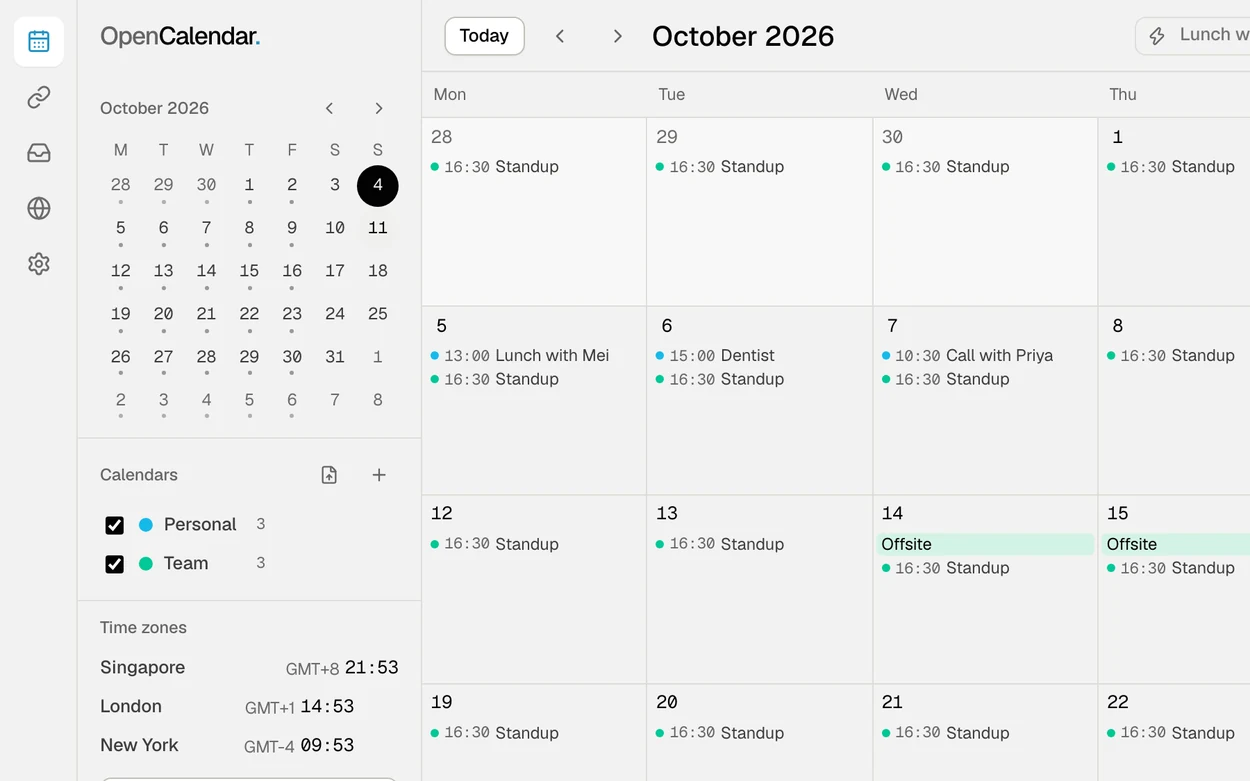 01 · Your calendars
Bring your calendars in.
Open a calendar file, follow a calendar address, or start a new calendar in the app. Everything you tick counts as busy. Signing in to Google or Outlook comes once each company has approved the app.
-
 02 · Your link
Make a link and send it.
Give it a title, the lengths you offer, your hours and your meeting-room link, then publish. Copy the link into an email, a signature or a chat.
-
 03 · Your guest
The guest picks a time.
They see the free times in their zone and yours, choose one, and type a name and an email. Their own browser works the free times out; nothing is sent to a booking service.
-
 04 · Booked
It is booked, and can be changed.
The guest gets a calendar file, add-to-calendar links and a private link to move or cancel. The booking shows in your app the next time it is open, where you confirm it if your link asks you to.
What happens underneath — a sealed page, your busy times and nothing else, and why a slot cannot be taken twice — is in how the scheduling link works.
In a browser today. A desktop app is being built.
The web app is the whole product. The other ways in are for opening calendar files from your computer and for agents.
In your browser
The calendar, scheduling links, polls and sharing. A guest’s booking page works on a phone too.
Open the web app No sign-up neededOpens your calendar files
Install it from the browser’s menu and it can open .ics, .vcs and .ifb files from your computer, and webcal: links.
On your computer
A native app that can be the default app for calendar files without a browser in between.
Coming · not available yet Being built nowCommand line and MCP
The same scheduling core as a local program. An agent can read a link, find times, book, move and cancel. The repository is not public yet.
Read the agent guide Builds from source with CargoScheduling without handing a booking company your calendar.
A booking service normally keeps a standing permission to read your calendar. OpenCalendar has no server that works out availability, takes a booking or keeps a calendar.
Your calendar stays in your browser
Calendars, events, attachments, links, bookings and your key are stored in the browser you use. No account is needed, and the optional one holds none of them.
A link shares busy times, never events
Only when you are busy inside the booking window, rounded to the slot size. No titles, no attendees, no locations.
Sealed before it leaves
The page and your busy times are encrypted with a key that travels in the link itself, after the
#, which browsers do not send to a server. The relay that stores them cannot read them.In a group, each person publishes only their own
Nobody collects every member’s calendar or sign-in — not another member, and not us.
A helper that keeps nothing
Reading a calendar address that blocks web pages, and renewing a Google sign-in, pass through a small helper that stores and logs nothing. You can run your own.
What the relay can see
- Encrypted records, their size and when they arrived
- The public key that published a link, and how many sealed notes a key receives
- The network address of whoever connects
What it cannot
- Your events, their titles or who is in them
- Who booked, for when, or what they wrote
- Which link or slot a booking is for
Free, all of it. A group is a list of people, not a number of seats.
No plan, no fee per person and no account needed. There is nothing to upgrade to.
OpenCalendar
$0- The calendar: every view, files, followed calendars and attachments
- Scheduling links for one host or a group, with round-robin
- Meeting polls and shared calendars
- The command-line tool and MCP server for agents
What you might pay someone else
Billed by them, not us- Your video meetings. Zoom, Google Meet, Teams and Tencent Meeting keep their own plans and limits.
- Your calendar account, if it is a paid Google Workspace or Microsoft 365 one.
- Your own relay or helper, if you choose to run one. The ones the app uses by default cost you nothing.
There is no paid tier, and nothing in OpenCalendar costs anything. The app’s optional account can hold credits; they are spent in our other apps and buy nothing here.
What people ask before they send their first link.
- How is this different from other scheduling tools?
No booking company holds your calendar or a permission to read it. Your link is a sealed page; the guest’s own browser works out the free times from your busy times alone. Group links work across companies and calendar providers without anyone pooling access, and there are no seats to buy.
- Do my guests need an account or an app?
No. A guest opens the link in a browser, picks a time and types a name and an email. They get a calendar file, add-to-calendar links for Google and Outlook, and a private link to move or cancel the booking.
- Do I need an account to use OpenCalendar?
No. Everything in OpenCalendar works without an account, and your calendars, links and bookings stay in your browser either way. The app has an optional account, behind the round button at its top right: one sign-in shared by our apps, with Google, OpenWallet ID, a crypto wallet or a Nostr key, and a balance of credits that our other apps spend. It unlocks nothing in OpenCalendar, and nothing about your calendar is sent to it.
- Which calendars can I use today?
Today: calendar files (.ics, .vcs and .ifb) and any calendar address you can follow (
webcal:orhttps:). Signing in to Google Calendar and Microsoft Outlook is built and waiting for each company’s approval of the app. The connection to iCloud and other CalDAV servers is built but not available yet: in a browser it needs the helper, which is not running yet, and it has not been tried against iCloud itself.In the meantime, Google Calendar and Outlook can usually give you a private calendar address, which you can follow here.
- Can two people book the same slot while I am offline?
No. Each booking leaves a claim on its slot that every other guest’s page reads, so a slot taken through the link cannot be taken again even with all of your devices switched off.
What a link cannot know is a meeting you added somewhere else since your last session. The page shows how old your busy times are, and a link can turn bookings into requests once they are older than a limit you set.
- How does it handle time zones and daylight saving?
Every slot is shown in the guest’s time zone and the host’s, worked out from the IANA time-zone database that is built into the app. The calendar marks the days on which a zone you show changes its clocks.
The rules are as new as the app’s last update, so a change a government makes at short notice is right once the app has been updated.
- Does each booking get its own Zoom, Meet or Teams link?
Today every booking carries the standing room link you paste into the scheduling link once: Zoom, Google Meet, Microsoft Teams or Tencent Meeting. A fresh Meet or Teams link per booking is built and arrives with the Google and Microsoft connections, which are waiting for approval. Zoom and Tencent Meeting stay pasted links.
- Will I get an email when someone books?
Not from OpenCalendar: sending email needs a server, and there is none. New bookings appear in the app while it is open, and the guest sees the result on the page at once and keeps a private link to it.
- What can an AI agent do with it?
An agent can read a scheduling link, find open times, book one, check on it, move it and cancel it, and read calendar files on your machine to find free time. It does this through a command-line program that is also an MCP server, running locally. The program holds none of your keys: it books with a key made for that booking, as a browser does.
- Where is my data, and what if I clear my browser?
In the storage of the browser you use, so clearing this site’s data deletes your calendars, links, bookings and key. Export your calendars as files and save an encrypted backup of your key from Settings before you do.
- Is it open source?
Yes: MIT or Apache-2.0, at your choice. The public repository is not open yet; this page will link to it when it is.
Open the app and make your first link.
Free, and no account is needed. Your calendar stays in your browser.